
Subscriptions are designed to be easy to start and easy to forget. Each one is small, so none of them feels worth checking, but together they can add up to a real monthly bill. Your statements are the best place to find them, because every charge has to appear there.
Step 1: Gather three months of statements
One month is not enough: some services charge every few weeks, and a quiet month can hide them. Get at least three months for every account that pays for things, including:
- your main bank account
- every credit card
- PayPal, Apple, Google Play and Amazon, which often bill on behalf of other services
- any app account like Wise or Revolut that you use for online payments
Step 2: Look for the pattern
A subscription has three tells: the same name, a similar amount, and a regular gap, usually around a month. Go through the statements and mark every line that appears in more than one month. Pay attention to small amounts; those are the ones that survive longest.
Step 3: Do not forget the yearly ones
Annual renewals appear only once a year, so a three-month scan can miss them. Search your email for words like renewal, receipt and subscription, and check the past twelve months of card statements for one-off charges from software, memberships and storage services.
Step 4: Make one list
Write every subscription down with:
- What it is.
- How much it costs, converted to a monthly figure (a yearly charge divided by twelve).
- When it next renews.
- When you last used it.
Seeing them in one list, with one total, is usually the moment people decide to cancel a few.
Step 5: Decide, cancel and check
For each one, ask whether you would sign up again today at this price. If not, cancel it from the service's own account settings, or from your phone's subscription settings for app store purchases. Then check next month's statement to make sure the charge actually stopped. Cancelling a card does not always cancel a subscription, so cancel at the source.
How Fimerse helps
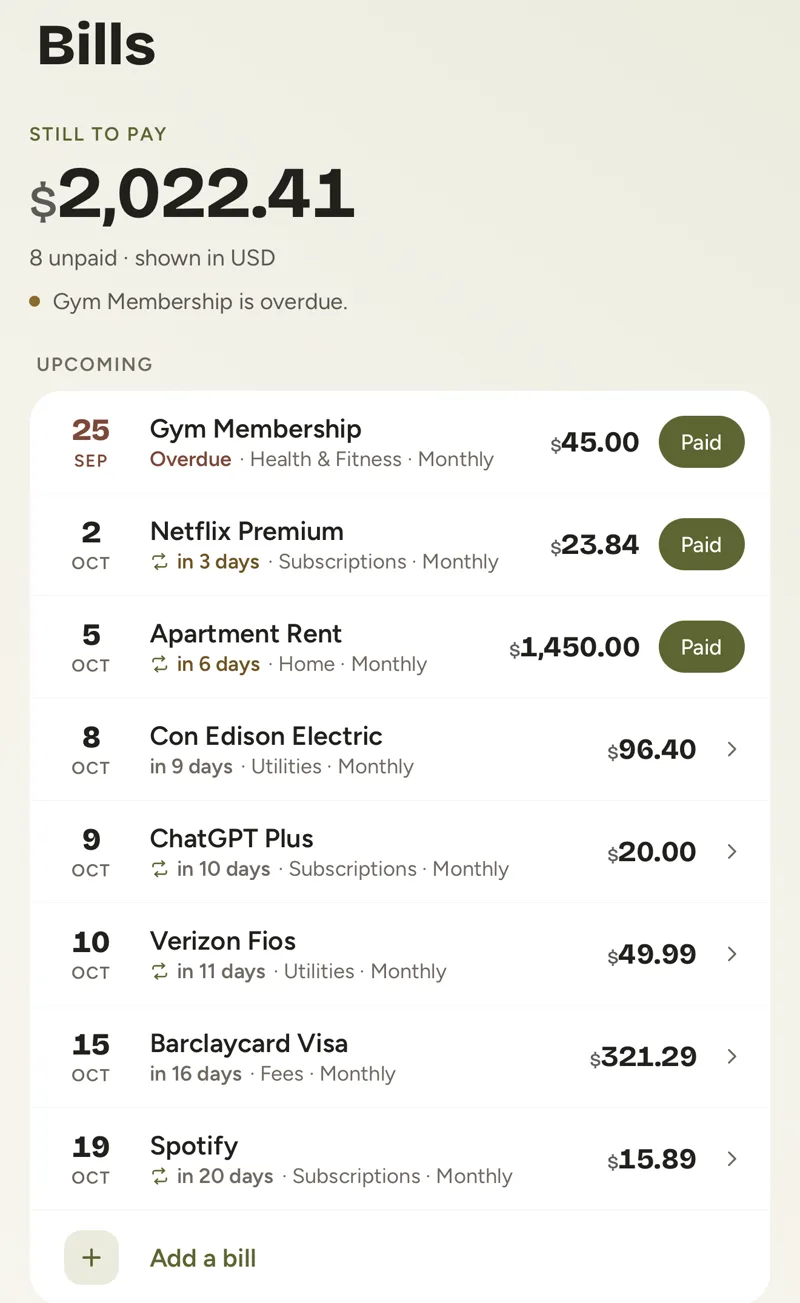
Once your transactions are in Fimerse, whether from a statement or typed in by hand, it looks for payments that repeat about a month apart at a similar amount and shows them as Looks recurring. One tap adds a payment as a bill, with its due date, and Fimerse can remind you before it is due, in the app and by email. Your bills then sit in one list with one monthly total, which makes the cancel or keep decision quick.
Questions people ask
Why does a subscription show a different name on my statement?
Businesses often bill under a parent company or a payment processor, so the name on your statement may not match the brand you know. Searching the exact text from the statement usually explains it.
Can my bank cancel a subscription for me?
Some banks and card providers let you block or stop a recurring card payment. Rules differ by bank and country, so check with yours, and cancel with the service as well.